How I Used Replit to Redesign Our Client Onboarding
How a non-developer team lead built a working prototype with AI, skipped the usual handoff layers, and helped ship a new onboarding system in record time
November 2025
The problem
When I was leading the onboarding team at a SaaS company, we had to onboard a lot of clients and the process was actually quite complicated. There were over 100 tasks with no clear order and no prioritization. We would email clients a list of tasks with different links and folders scattered all over the place for them to access. There was no centralized place for the client to see their onboarding progress, know what to work on next, or actually complete the tasks, because every task required a different system or platform.
It was really hard for clients to know where they were in the process or whether they were ready to go live. And because of that, onboarding became a big bottleneck in the customer journey. It heavily relied on our team hand-holding clients through every step with repeated emails, weekly calls, and a lot of back and forth. On average, it took about five to six months for a client to launch. That's half a year waiting before they see value from what they're paying for, and it's also half a year before the company actually generates revenue from that client.
How things normally work
As someone who had been leading this team for a few years, I was constantly thinking about how to improve the process. But in most companies, when a client-facing team member has an improvement idea, there's a whole process to go through before anything gets built. And honestly, a lot of ideas never even make it past the idea stage, because it's really hard to explain your vision clearly to other people with just words. People can't visualize the actual feature or product, so it's hard for them to see the value.
The standard process would be: you talk to a product manager, the PM translates your idea into technical requirements, a developer builds it, the PM reviews it, you review it, you give feedback, and rinse and repeat. A lot gets lost in translation along the way, and the person who understands the client experience best, the one actually talking to clients every day, is the furthest removed from the person building the solution.
The traditional handoff
Client-Facing Team
Knows the process, sees the pain points
Product Manager
Translates ideas into technical requirements
Developer
Builds the solution
Review, feedback, repeat...
Bringing the idea to life with Replit
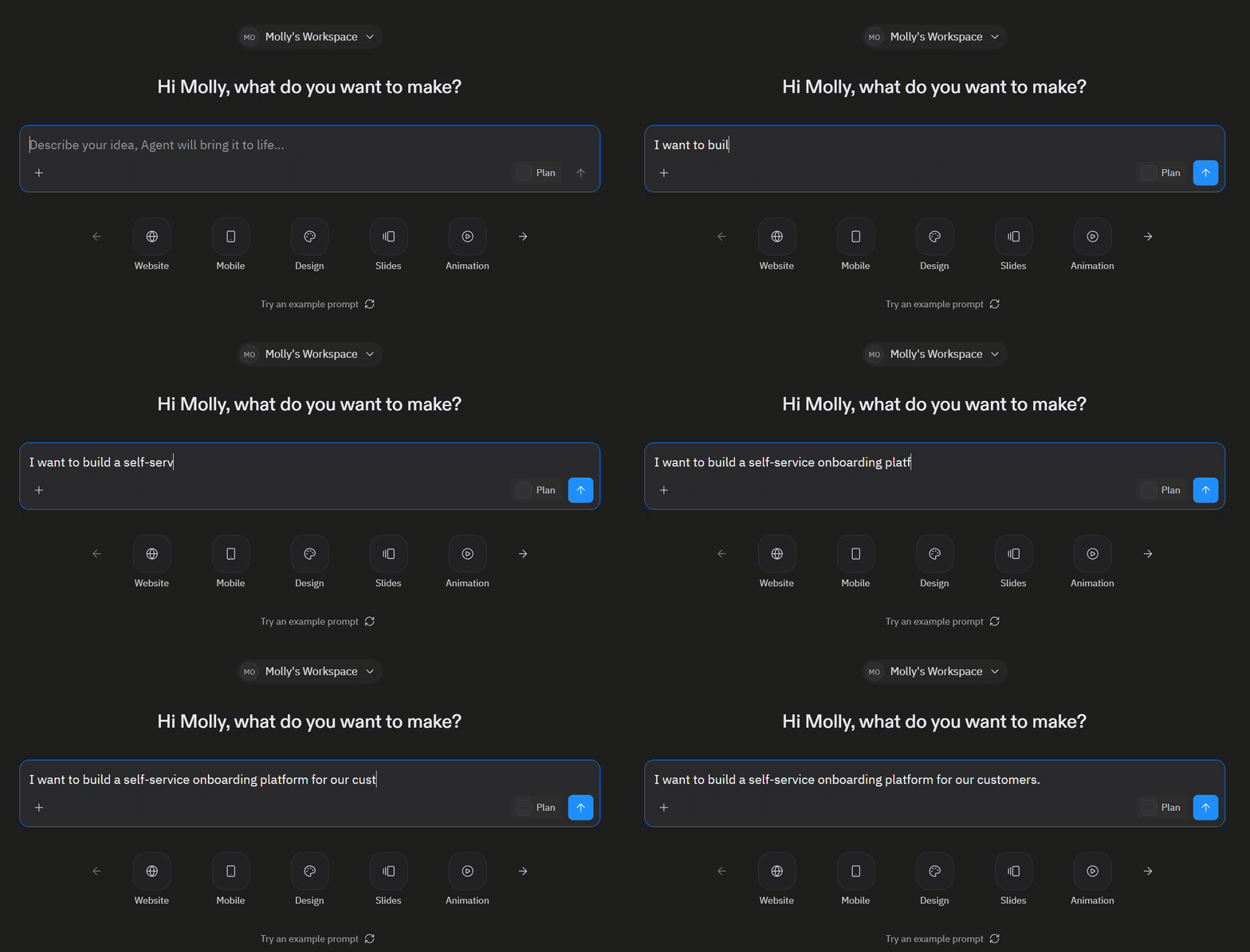
With all the AI tools and technology available now, I decided to try a different approach. I wanted to first turn my idea into an actual working version of the product to see if it was feasible before pitching it to anyone. That way, instead of just talking about what I had in mind, I could actually show people.
I had a really clear picture in my head of what the onboarding experience should look like. I knew which tasks should come first, which ones were repetitive, which ones could be automated, and where clients would benefit from having centralized instructions rather than information scattered across calls, emails, and different platforms. I just needed a way to turn all of that into something visual and interactive.
So I brought my vision to Replit. For anyone not familiar, Replit is an online platform where you can build apps with the help of AI. You describe what you want in plain language, and it generates a working application that you can see and interact with in real time. I don't write code, but I know what I want, and Replit was able to translate my ideas and my workflow into an actual working demo. I kept iterating on it, refining the experience until it matched what I had in my head.
What the prototype looked like
The demo I built was a complete reimagining of the onboarding experience. Instead of dumping 100+ tasks on someone with no structure, I organized everything into clear phases:
Phase 1: The essentials
The minimum required steps to get set up. Clear, sequential, and no guesswork about what to do first.
Phase 2: Customization
Recommended steps to personalize the experience. Important but not blocking progress.
Phase 3: Growth
Optional but valuable steps for long-term success that clients could come back to later.
Each task had guided, step-by-step flows instead of long forms. I designed it so clients would see one or two questions per screen with helpful context and explanations built in at each step. There was also a progress tracker so clients could see exactly where they were, time estimates for each task, and a launch readiness checklist that answered the question we got all the time: "Am I ready to go live?"
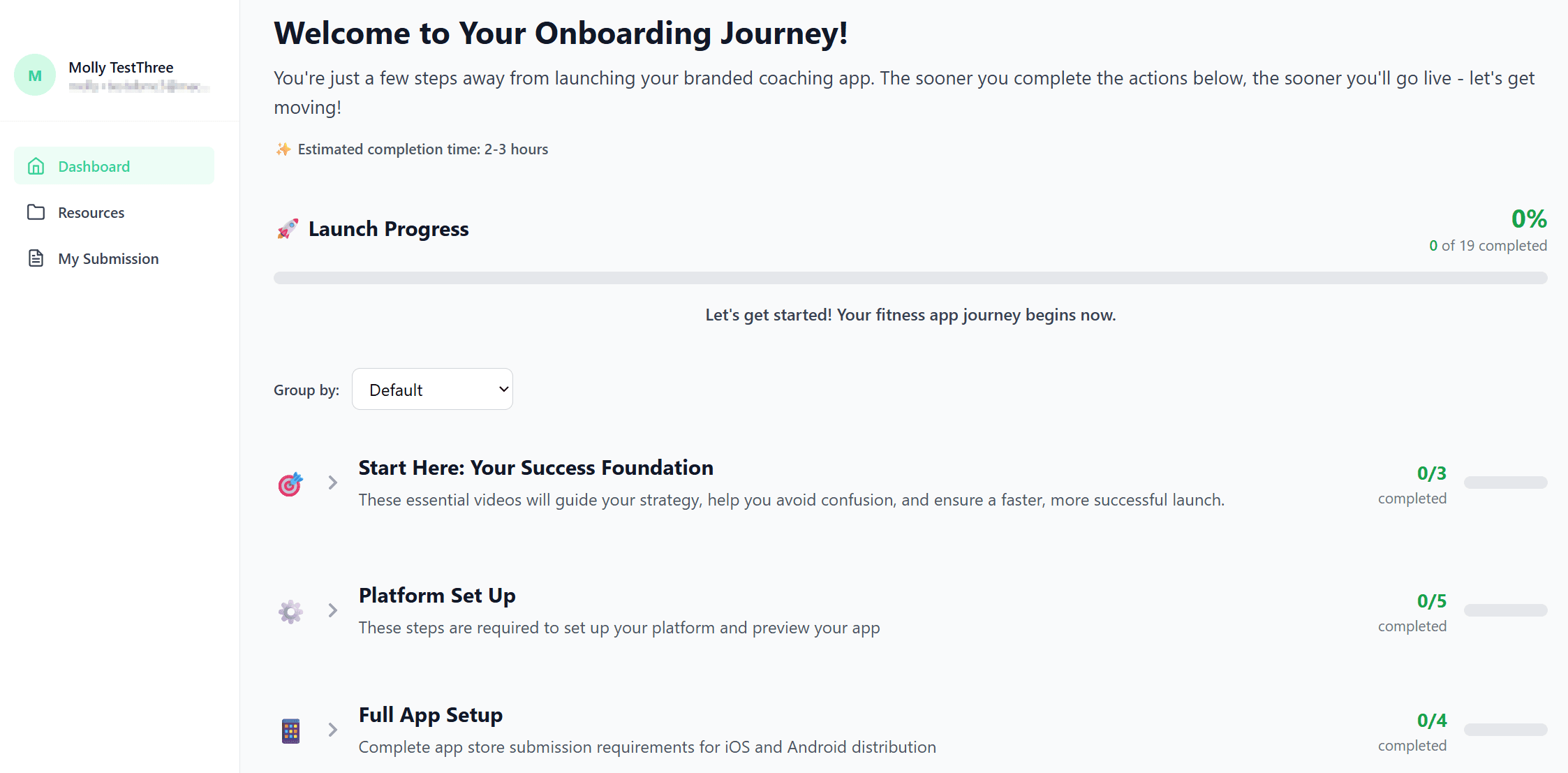
The dashboard I built in Replit, with tasks organized into clear phases and progress tracking
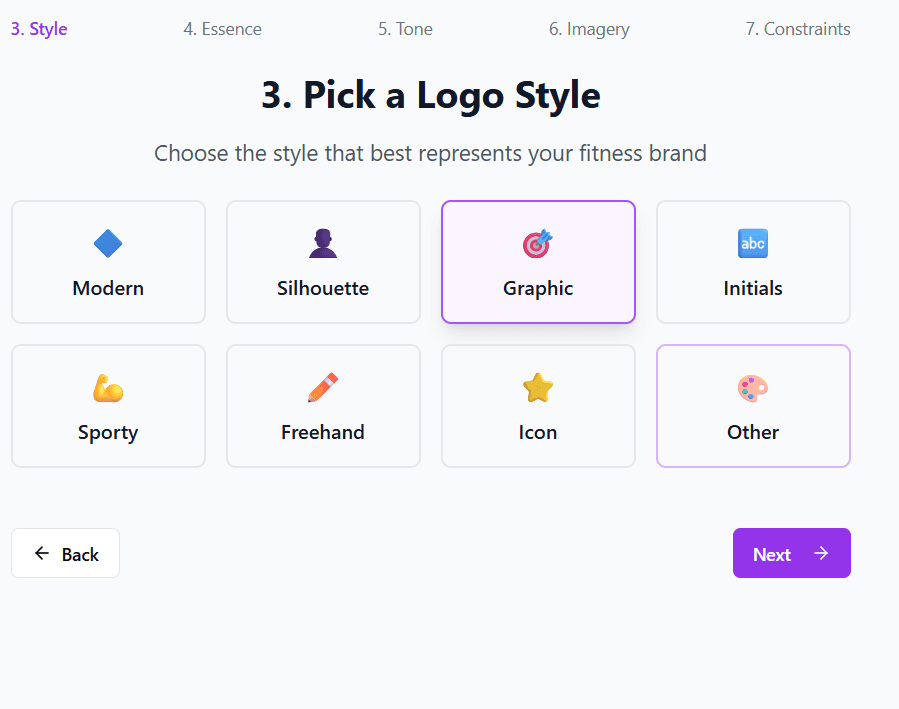
A guided setup flow with step-by-step progression and built-in explanations
Working with the developers
Once I had the demo ready, I was able to easily show it to different stakeholders in my company and to my manager. Because they could actually see and click through the prototype, it was much easier to get buy-in and get the project started compared to just explaining an idea verbally.
And then when it came to building the real thing, I worked directly with two developers. I could just pull up the demo on screen and walk them through exactly what I was envisioning. They had the Replit code as a reference for the UI and the interactions, so their job was to take that and rebuild it properly within our actual systems with the right integrations and automations connected.
The new approach
Me + Replit
Built a working prototype with AI assistance
Show Demo to Developers
Visual, clickable, easy to understand
Developers Build the Real Thing
Using the prototype as a blueprint, connected to real systems
It really streamlined the whole process. Instead of going through multiple layers of people and rounds of feedback where things get lost in translation, it was just me working directly with the developers using a prototype they could actually see and reference.
What changed
The difference was really significant. Onboarding went from taking around five to six months down to just a few weeks, and some clients were even launching within days. The self-serve portal meant clients could make real progress on their own without waiting for our team to walk them through every single step.
~5-6 months
Average time to launch before
A few weeks
Average time to launch after
Beyond the speed, the quality of the experience improved too. Clients knew what to do, in what order, and why. They stopped asking "am I ready to launch?" because the system showed them. And our team was freed up from doing repetitive admin work, so we could actually spend that time providing strategic guidance and higher-value support to clients.
It also meant the company could take on more clients without needing to grow the team at the same rate. When onboarding is largely self-serve, you're not bottlenecked by how many people you have doing manual walkthroughs.
What I learned
I think the biggest takeaway from this project is that being in a client-facing role actually gives you a huge advantage when it comes to designing solutions. After years of onboarding clients, I had built up a lot of intuition from hundreds of conversations. I knew where clients hesitated, what confused them, what made them feel confident. That kind of knowledge is really hard to capture in a requirements document and even harder to transfer through a chain of people.
Tools like Replit made it possible for me to turn that intuition into something tangible. Instead of trying to explain to someone else what I meant and hoping it came out right on the other end, I could just build it and show them. And that changed the dynamic of the whole project.
Think from the client's perspective
The best solutions come from people who actually live the problem. If you're the one talking to clients every day, you already have the most valuable input for designing the experience.
Use AI to bridge the gap
You don't need to know how to code to build a prototype. AI tools let you take what's in your head and turn it into something people can actually see and interact with.
Show, don't just explain
A working demo communicates so much more than a verbal explanation or a document. It gets everyone aligned and makes it easier to get buy-in.
Think about scale
A self-serve system doesn't just help current clients. It lets the company grow without the team becoming a bottleneck.
Wrapping up
If you're in a client-facing role and you've ever had an idea for how something should work but felt like you couldn't do anything about it because you don't write code, that barrier is a lot lower than it used to be. Tools like Replit let you go from an idea to a working prototype by just describing what you want. You can take what you know about your clients, your process, and the pain points, and turn it into something tangible that people can see and interact with.
You don't have to be a developer to drive a product forward. Sometimes the most impactful thing you can do is bridge the gap between knowing what clients need and showing what it should look like, and let the engineers take it from there.